Using AMAYA
AMAYA Readings: how to read a chart, mode and explanation
Start with your task and a suitable tool. Check the date and result mode before reading, then compare the chart with its explanation. Access conditions are shown in the app.
- Task and mode
- Chart
- Explanation
Different Readings have different structures. A consistent sequence helps when a chart is unfamiliar: task, details, result, explanation. The tool’s name alone cannot replace these steps.
Choose a tool for your task
Open Readings and read the description of the tool you are considering. Decide what you want to explore. Check access conditions and any displayed price before taking a paid action.
Enter the information the tool requests. If it offers modes, choose the one you need before reading the result.
Read the result in three passes
Source details
Check the date, mode and other details belonging to this result.
Chart
Find the elements the reading highlights. Begin with one and look at its label.
Explanation
Connect the text with the visible markers. Ask about a specific detail if something remains unclear.
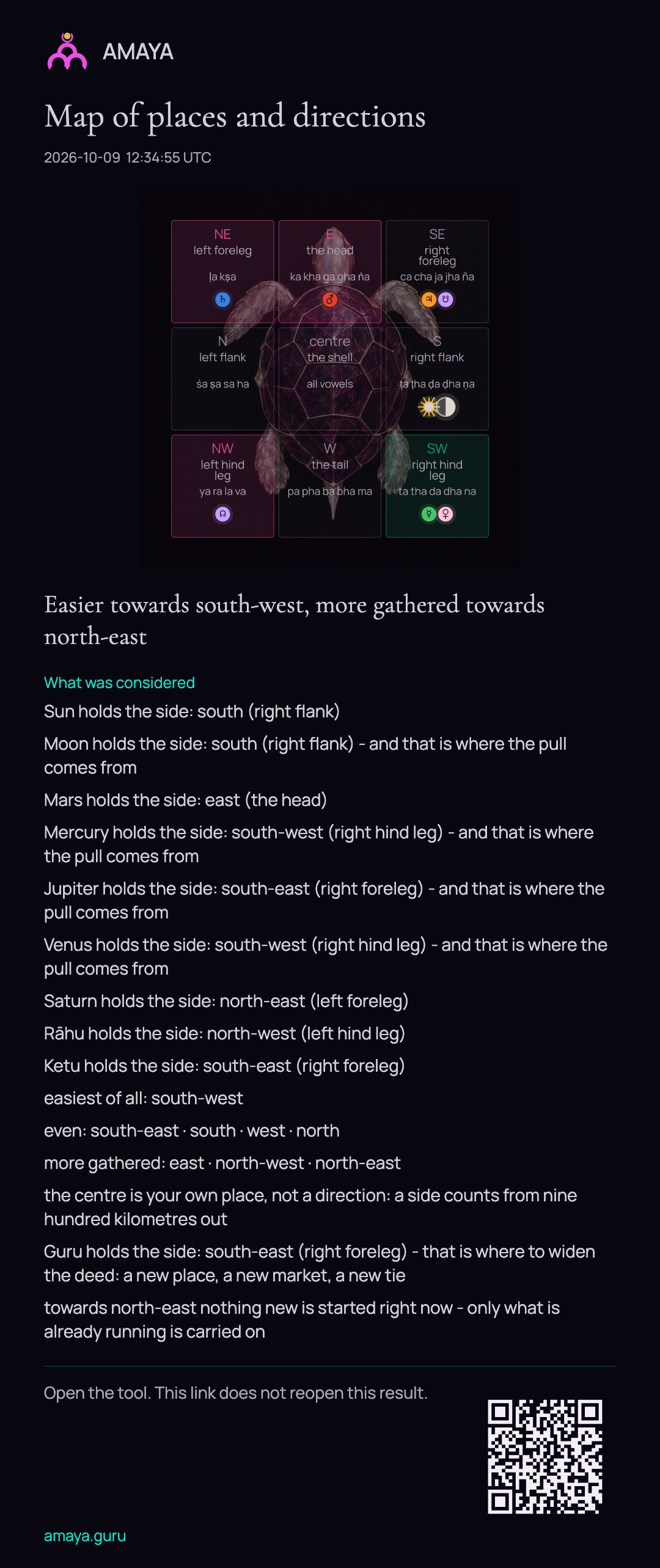 Open full size - in a new tab
If you save an image of the result
Before saving, check that the image shows the result and mode you have been reading. Export availability depends on the tool.
In the exports for Sarvatobhadra, Kota, Shula, Kurma, Shani and Dimbha, the QR code opens the tool. It does not open a public copy of your saved personal result.
The illustration is a labelled teaching example. Your own decisions still need to take account of the facts and circumstances of your situation.