Using AMAYA
The AMAYA advisor: follow up and return to a conversation
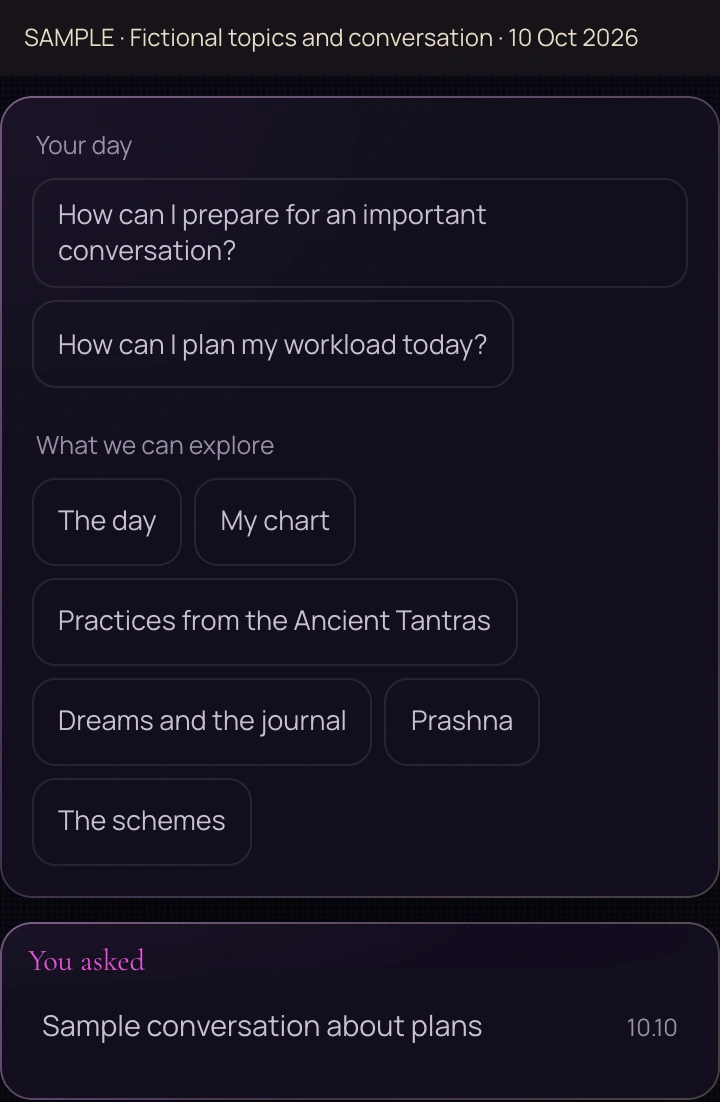
Name your situation and one detail you want to understand. A topic or suggestion can help you begin. History lets you return to the conversation you choose.
- Topic
- Specific question
- Follow-up
A reading includes a marker or phrase you do not understand. Begin there: ‘What does this detail mean?’ The question stays connected to the original material and gives you a clear next step.
Choose a topic and complete the question
Look through the topics and suggestions. Their actions can differ: one may start a question, while another places a phrase in the input for you to complete. If text appears in the field, read it and add your circumstances before sending.
For a dream reading, begin with what you remember. For a chart explanation, name the marker or theme. Keep unrelated tasks in separate questions.
 Open full size - in a new tab
Three useful follow-ups
Meaning
‘What does this marker mean?’ Use this when a term or symbol is unfamiliar.
Reasoning
‘Which details led to this conclusion?’ Use this when the words make sense but the explanation’s reasoning is unclear.
Your choice
‘What should I clarify before deciding?’ Include the options and constraints you are working with.
Return to an earlier conversation
Find the entry you need in history and open it. On larger screens, topics, suggestions and history sit beside the conversation. The teaching capture shows where these elements appear.
Personal context depends on available data and permissions. Journal reading is controlled in Settings. An explanation written with confidence can still contain mistakes; verify information that matters to your decision.