Using AMAYA
AMAYA Journal: keep a thought, dream or observation
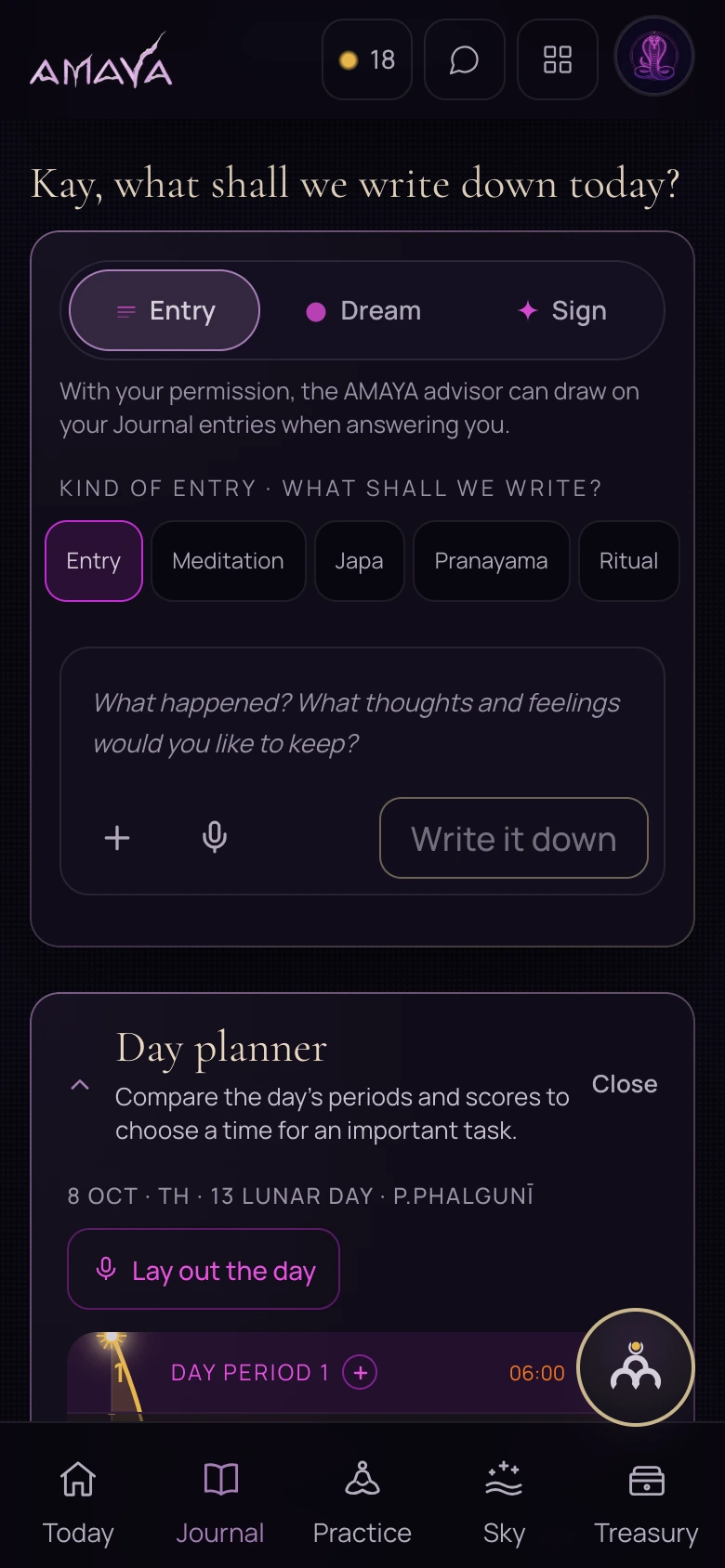
Open Journal, choose an entry type and write at least one sentence. After saving, check that the entry appears. Later, use the date and available tags to find it.
- Event
- Observation
- Return to the entry
An ordinary thought after a conversation, a dream or an observation about how you feel can become an entry. You do not need a polished story. Leave enough specific detail to understand it when you return.
Choose the appropriate tab
Use Entry for an event, thought or practice experience. Dream is for what you remember after waking. Sign is for an event you want to record as personally meaningful.
The entry type helps you organise and find the text. It does not confirm an interpretation of the event or dream.
Write and check
Describe the event
What happened, where and when? Begin with what you can describe without explaining its cause.
Add your observation
What did you feel or notice? Keep this separate from your interpretation of why it happened.
Save the entry
Wait for saving to finish and check that the entry appears. If the app reports that saving failed, the action is not complete.
 Open full size - in a new tab
Find the text later
Entries from the current day and past entries are shown separately. In Past entries, the calendar and tags help narrow the search. A tag filters the list; a date narrows it further.
If an entry is missing, check the selected date and filter. Look for a new entry among the current day’s entries first.
When rereading, compare what happened with how you understand it now. One episode alone does not establish a pattern.