Using AMAYA
AMAYA Chart Overview: birth details, the Guide and My Chart
Enter your birth details and their precision. With an uncertain or unspecified birth time, the Overview starts with reference positions; a personal reading requires precise details. My Chart leads to the detailed chart when your access includes it.
- Birth details
- Overview and Guide
- Detailed chart
Chart Overview gives you a way into the explanation while the detailed chart is still unfamiliar. Start by checking the birth details and how precisely you know the time. This determines whether AMAYA shows reference positions or a personal reading.
Enter the details you know
The chart uses your birth date, birthplace and birth time. Your current city does not replace your birthplace. If you do not know the exact time, choose the appropriate level of precision. Avoid filling the field with an arbitrary time.
If your birth time is uncertain or its precision is not specified, the Overview first shows reference positions and asks you to clarify the details. A personal reading requires precise birth details. Keep the stated precision consistent with what you actually know about your birth time.
Birthplace and current city in AMAYA
After a move or a trip, two fields containing a city name can be easy to confuse. In AMAYA, your birthplace belongs to your personal chart. Your current city sets the location for the day's calculations. In Settings, the current location appears under Sky location. Changing it doesn't overwrite your saved birth details.
Your birth date, time, coordinates and time zone provide the chart's starting data. The place name helps you check the location; the calculation uses its coordinates. The same city name in both fields doesn't make those fields interchangeable.
| Input | What it is used for | What it doesn't change |
|---|---|---|
| Birthplace and its coordinates | Set the chart's location, together with your birth date and time. | Your separately saved current city. |
| Birth time zone | Converts local birth time into the moment used for the calculation. | The time zone of your separately selected current city. |
| Current city and its time zone | Set the location for sunrise, sunset and hours in Today. | Your saved birth date, birthplace, birth time and birth time zone. |
Check the time zone for your birth date
Your birth time zone belongs to your birthplace and birth date. When you enter an exact time and select a birthplace with a known time zone, AMAYA checks the offset for the date and time entered. If a clock change requires you to choose between two possible times, use your birth record. For an exact time, entering an offset manually requires confirmation that it applies to your birth date. For approximate times or previously saved details, a filled value alone does not establish historical accuracy. Your phone's time zone today does not confirm your birth time zone either.
Check which location the day uses
Today uses your separately selected location first. If you haven't set one, the day's calculation may use the place and time zone from your birth details. After a trip, check your current city even if you already have a chart. A familiar place name doesn't establish that the day was calculated for your present location.
As a teaching example, suppose your birthplace is Kazan and you're visiting Lisbon. For a day in Lisbon, select Lisbon as your current city. Kazan and the date, time and time zone of your birth remain in your chart details. Correct those details when you find an error in the original information.
The guide to Today explains the date, advice and hours shown for the day.
Read the available explanation
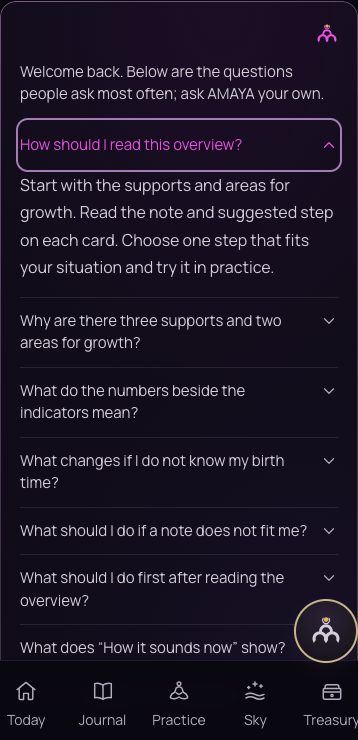
Open the Overview
Check which reading is available for your input. If the screen asks you to clarify the time, return to your birth details. Choose one detail from the available explanation to explore.
Open the Guide
Read the explanation of an unfamiliar term or conclusion. Notice which details make sense and which you want to clarify.
Go to My Chart
If you have access to the detailed chart, open My Chart in Sky. Compare the explanation with the markers it refers to.
 Open full size - in a new tab
Ask about what remains unclear
Name a theme and a detail: ‘What does this marker mean?’ or ‘Which data supports this conclusion?’ A specific question is easier to connect with a specific explanation.
The chart offers material for reflection within AMAYA’s method. Decisions about work, relationships and everyday matters remain yours.